Eureka3X - Cloud CNC G-Code Simulator. Validate your G-code before it reaches the machine

Eureka3X is a CNC simulator that detects collisions, errors, and inefficiencies before machining.
Simulate every NC program before it touches metal.

BACKED BY 20+ YEARS OF INDUSTRIAL CNC SIMULATION

Trusted by world-class manufacturers

Eureka3X is part of Eureka Virtual Machining — the industrial CNC simulation suite by Roboris, used in production environments worldwide since 2005.

Eureka3X
Eureka G-Code
Eureka Chronos
Eureka Robot
Toyota Logo
Tesla Logo
Siemens Logo
Leonardo Logo
Liebherr Logo
These companies are users of Eureka Virtual Machining — the industrial CNC simulation suite by Roboris that powers Eureka3X.
Designed for the most experienced CNC professional down to the first-time machinist
CAM validation for shop-floor safety and confidence.

Detect problems before they reach the machine

Identify collisions, over-travels, tool interference, and axis limit violations in a complete virtual replica of your CNC machine.

Validate real G-code, not approximations

Simulate the actual NC program that runs on your controller — including post-processed G-code and machine behavior.

Reduce setup time and scrap

Deliver verified, optimized programs with confidence in safety, accuracy, and performance.

Complete 3-axis machine simulation environment
Precision, safety, and efficiency — before cutting metal.
Machine digital twin

True CNC kinematic simulation

Simulate the exact behavior of your 3-axis machining center with full machine components, axis limits, and tool assemblies.

  • Full machine structure simulation
  • Axis travel and limit monitoring
  • Tool holder, fixture, and clamp collision checks
  • Realistic machine movements
🛡️ Protect your machine investment by catching expensive crashes before they happen.
NC program verification

Verify the real G-code

Load and simulate the final NC program exactly as it will run on the control.

  • Controller-specific interpretation
  • Gouge and excess material detection
  • Rapid move collision checks
  • Safe tool change validation
⏱️ Eliminate manual dry-runs and gain absolute confidence at the control.
Material removal engine

Accurate stock simulation

High-precision material removal ensures dimensional accuracy and clear validation of machining results.

  • Real-time stock update
  • Visual comparison with CAD model
  • Residual material detection
  • Toolpath efficiency analysis
📉 Reduce scrap rate, save material costs, and consistently deliver perfect parts.

Ready to optimize your machining process?

Join thousands of professionals validating their NC programs with Eureka.

No credit card required - includes four production-ready machines with Fanuc, Haas, Heidenhain and Siemens controller.
Windows 10/11 only • Requires dedicated GPU
Choose the right level of CNC simulation
From entry-level 3-axis verification to full enterprise virtual machining.
MonthlyAnnual

EUREKA3X BASIC

€9 /month
Placeholder
Machine: Any 3-axis milling machine
(Haas, Fanuc, Siemens, Heidenhain)
  • Full Simulation
    Complete 3D environment with material removal.
  • Basic verification
    Syntax and over-travel verification
  • Editing & Debugger
    Integrated G-code editor, debugger, Virtual JOG & MDI.
  • Inspection
    Distance, angle, dynamic measurements & annotations.
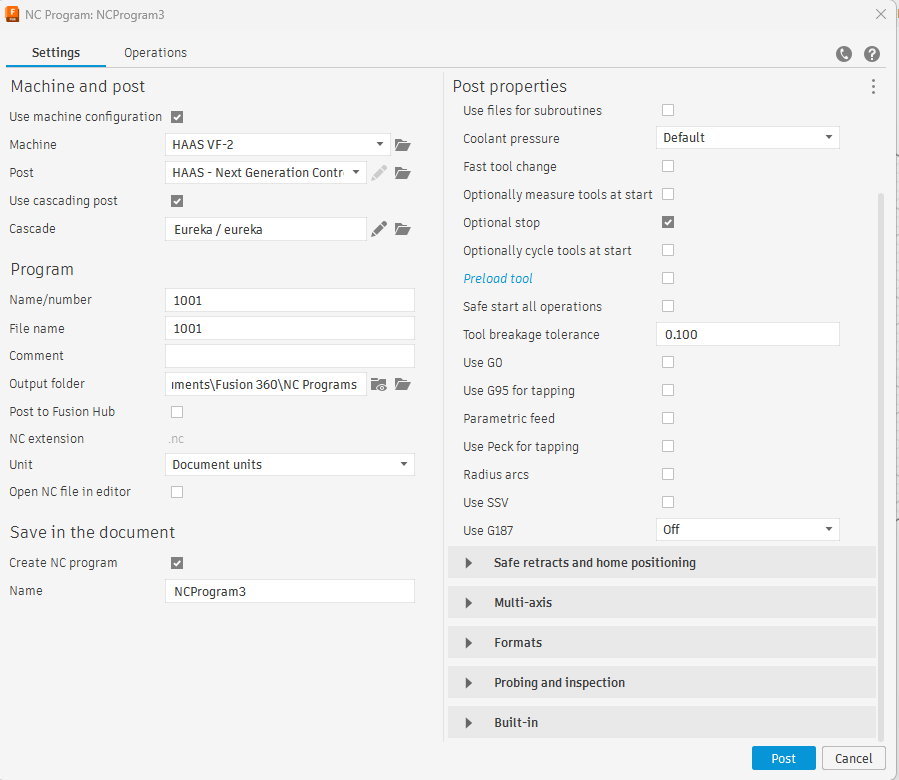
  • Fusion 360 Interface
    Includes a FREE interface to Autodesk Fusion 360.
  • Includes 4 machines
    Haas VF2, Fanuc Robodrill, DMG 635V and DN Solutions DNM5700

EUREKA3X PRO

€49 /month
Machine: Any 3-axis milling machine
(Haas, Fanuc, Siemens, Heidenhain)
  • Everything in BASIC
  • Full collision detection
  • Viewer File Generator
    Export .evpf files for quality & production sharing.
  • CAD vs. stock comparison
    Detect gouges, excess material & geometric errors
  • Cutting Verification
    Real-time technological limit checks.
  • Automatic Reports
    Complete PDF documentation generation.
  • G-Code Assistant
    Fast insertion of complex cycles.

EUREKA G-CODE

Enterprise Edition

Custom pricing — contact for quote
Machine: Any machine, any complexity
  • Everything in PRO
  • All machine kinematics — mill-turn, Swiss, sliding headstock, multi-spindle
  • All controller brands & dialects
  • Interfaces with leading CAM and tool management systems
+ NC CODER
  • Multi-channel programming with integrated post-processor
  • Channel sync for Swiss & mill-turn machines
+ CHRONOS
  • AI-powered feed rate optimization on existing G-code programs
Dedicated onboarding · Priority support
Learn more about Eureka G-Code →
F.A.Q. – Frequently Asked Questions

Quick answers about downloads, licensing, upgrades, and system requirements.

+What is Eureka3X?

Eureka3X is a CNC simulation and machining optimization software that allows users to verify, simulate, and improve CNC programs before executing them on real machines. It helps reduce errors, improve efficiency, and optimize manufacturing workflows.

+Who is Eureka3X designed for?

Eureka3X is designed for CNC programmers, machinists, and manufacturing engineers. It supports both CAM-based workflows (such as Autodesk Fusion 360, Mastercam, and similar software) and manual CNC programming using G-code.

+What problems does Eureka3X solve?

Eureka3X helps:

  • detect G-code errors before machining
  • prevent collisions and costly mistakes
  • reduce programming and setup time
  • improve machining efficiency and reliability
+Why is CNC simulation important?

CNC simulation allows programmers and machinists to verify toolpaths, detect errors, and prevent collisions before running a job on a real machine.

This is especially important when working with AI-generated toolpaths or automatically generated G-code, where unexpected behaviors may occur.

+Does Eureka3X check for collisions and material removal?

Yes, Eureka3X uses an accurate material removal engine that updates stock in real time. It also performs collision detection for tools, holders, fixtures, and machine limits, ensuring safe machining.

+Which CNC controllers does Eureka3X support?

Eureka3X PRO supports major CNC controllers such as Fanuc, Siemens, and Heidenhain.

For advanced machines and custom controller dialects, Eureka GCode provides full support.

+Which software is compatible with Eureka3X?

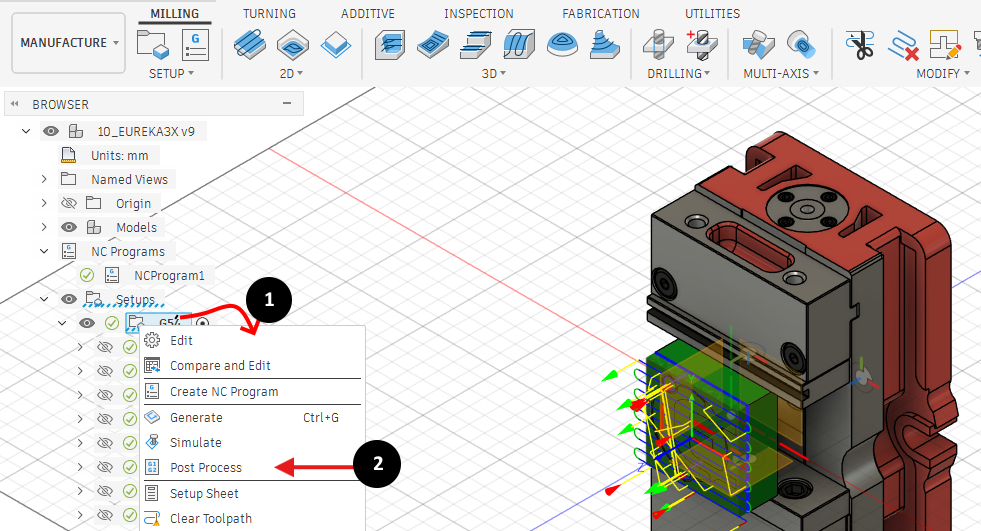
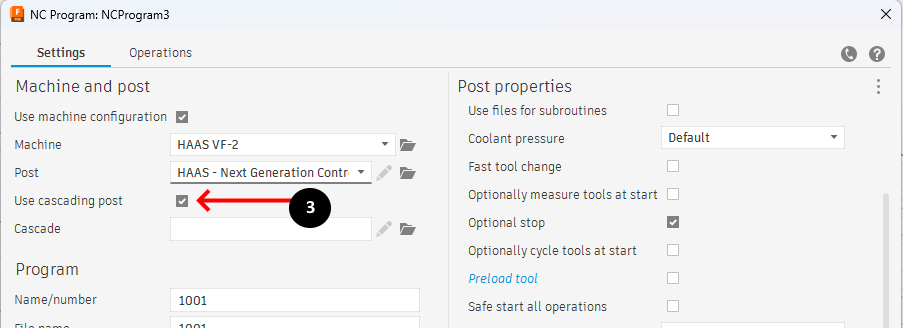
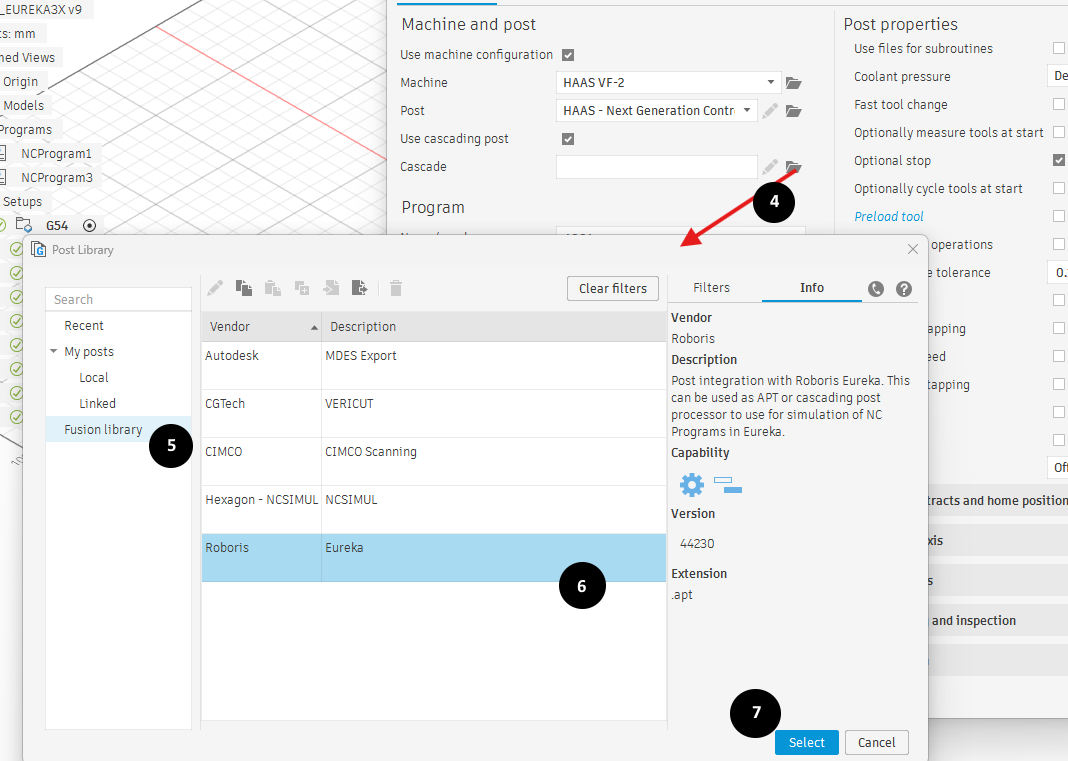
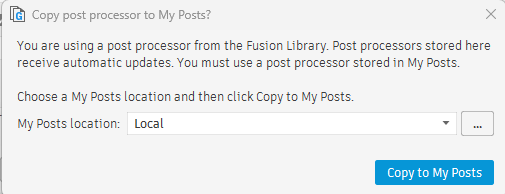
Eureka3X integrates with major CAM systems such as Autodesk Fusion 360 and Mastercam.

It can also simulate manually written G-code independently of CAM software.

+What is the difference between Eureka3X and free online G-code viewers?

Online G-code viewers provide basic visualization only.

Eureka3X offers:

  • real CNC machine simulation
  • collision detection
  • material removal simulation
  • support for real industrial workflows

This makes it suitable for production environments.

+How can I download Eureka3X?

Eureka3X can be downloaded from the official website upon registration.

Click here the download guide and follow all the steps to start using Eureka 3X.

+Does Eureka3X support 5-axis or mill-turn machines?

Eureka3X is focused on 3-axis milling simulation.

For more complex machines — including 5-axis, mill-turn, and Swiss CNC — users can upgrade to Eureka GCode.

+How can I upgrade to Eureka GCode?

To upgrade to Eureka GCode, you can contact the sales team to receive a tailored solution based on your machining requirements.

+Can Eureka3X be used to validate AI-generated CNC programs?

Yes, Eureka3X can simulate and validate CNC programs generated by AI or automated tools.

This helps detect unexpected behaviors, inefficiencies, and errors before machining.

+What are the system requirements?

Minimum:

  • CPU: Intel i5
  • RAM: 8 GB
  • GPU: dedicated NVIDIA or AMD

Recommended:

  • CPU: Intel i7 or i9
  • RAM: 16 GB
  • GPU: dedicated gaming GPU (e.g., GTX 1050 or higher)
+Can I run Eureka3X on a Mac?

Eureka3X is a Windows application (Windows 10 or 11) and is not supported on macOS.

+Summary

Eureka3X is a CNC simulation platform that supports CAM workflows, manual programming, and AI-generated toolpaths, enabling users to validate and optimize machining processes before production.

Still have questions about how Eureka software can help your business?
Talk with a specialist and get a quick recommendation.

Start Simulating with Eureka3X Today

Join thousands of CNC professionals protecting their machines and optimizing code.

No credit card required - includes four production-ready machines with Fanuc, Haas, Heidenhain and Siemens controller.
Windows 10/11 only • Requires dedicated GPU